Copying 1D Plot Data

Contents
The Bin and Count numbers of histogram data may be copied from any histogram and pasted within FCS Express or any software, such as Excel, for further review. To Copy Histogram Data (Figure. 11.1):
1. Right click on a histogram.
2. Choose Copy Histogram Data.
3. Choose the Overlay to copy data from.
4. Paste the data in FCS Express or any other software with control+V or any other paste command.
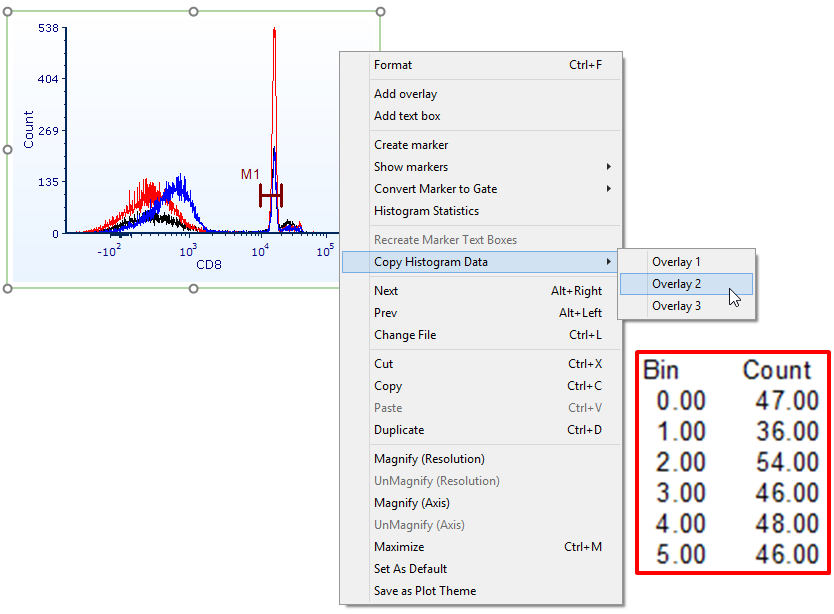
Figure 11.1 Using the copy histogram data feature. Notice the red highlighted table in which the first 5 bins of data from the histogram are displayed upon a paste command.